Meet Quill — your PDF document copilot
Describe a document and Quill builds it. Tell it what to change and it edits in place. Ask how it works and it explains — all by chatting, right inside the PDFMakerAPI editor.
No prompt engineering · 100 free PDFs / month
Three ways to work with Quill
Create, command, understand
Quill isn’t a one-shot generator. It builds your documents, edits them on request, and explains how they work — like a teammate who knows the template.
Create
Describe it. Quill builds it.
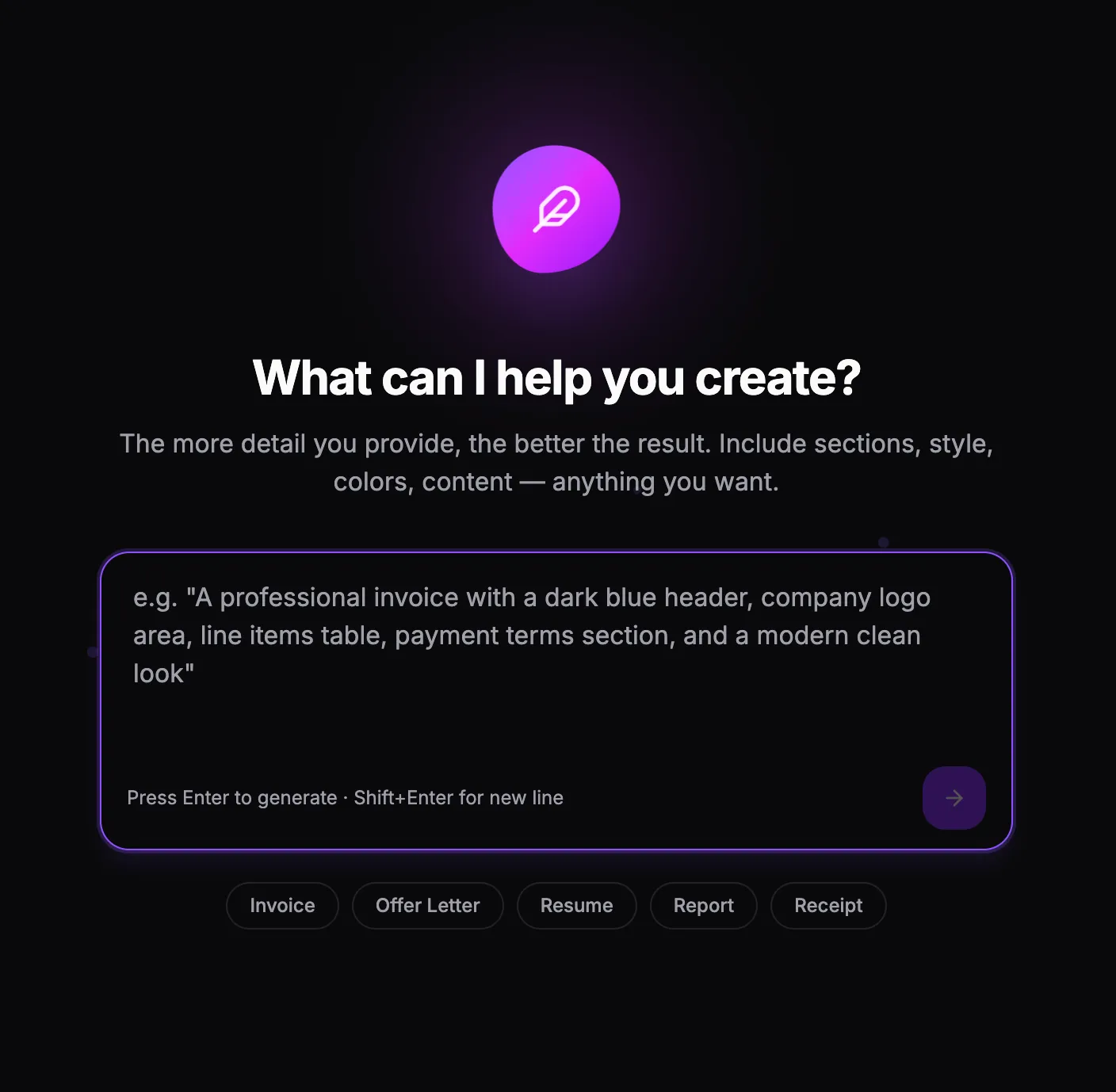
Start from a single sentence — “a professional invoice with a dark blue header, a line-items table, and payment terms.” Quill designs the whole template: sections, columns, a table, the variables that hold your data, and realistic sample content so it looks finished from the first second.
- Complete, structured layouts — not a wall of text
- Variables wired up for the data that changes
- Start blank or from Invoice, Resume, Report, and more
Command
Tell Quill what to change.
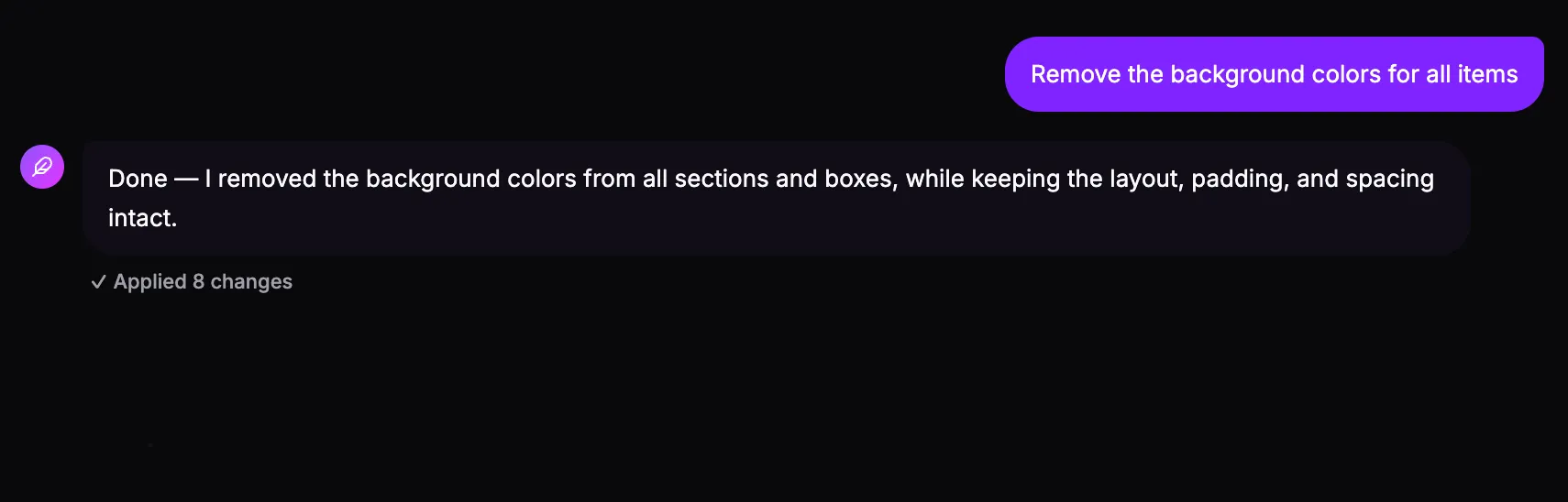
Edit by talking. “Remove the background colors for all items,” “make the totals bold,” “add a notes section.” Quill applies real, structured changes — and tells you exactly what it did. It’s surgical, not a re-roll: your layout, spacing, and data stay exactly as they were.
- Plain-English edits, applied in place
- A clear “✓ Applied N changes” summary every time
- Preserves everything you didn’t ask to change
Understand
Ask how your document works.
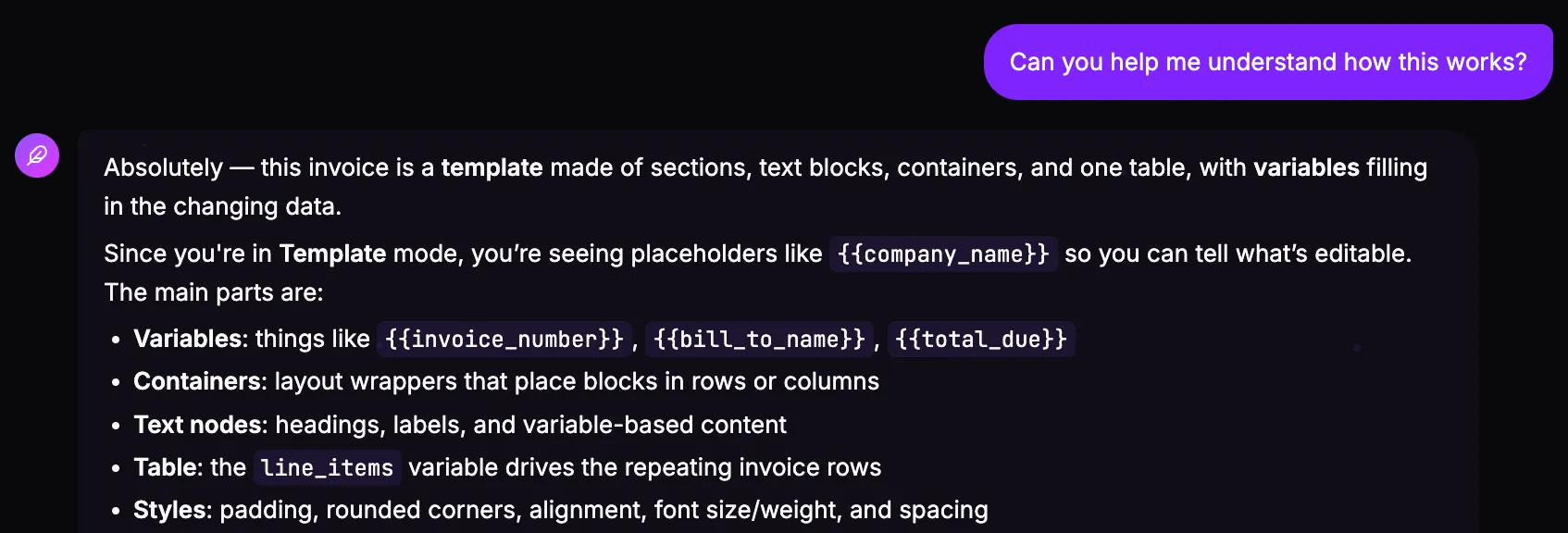
Quill knows your document inside out — variables, containers, tables, and whether you’re viewing placeholders or real values. Ask “how does this work?” and it explains in plain English, grounded in your actual document. Perfect for handing a template to a teammate who’s never seen it.
- Answers grounded in your real document
- Explains variables, tables, and template vs. filled views
- Great for onboarding teammates to a template
Why it’s different
A copilot that actually knows your document
Most “AI” buttons regenerate from scratch. Quill works on the real structure of your document, so it edits with precision and explains with accuracy.
It understands the document, not just the text
Quill works on the real structure — variables, containers, tables, and styles — so it can reason about your document the way you do.
Edits are surgical
Ask for one change and you get one change. Quill applies a precise, structured edit and leaves everything else untouched.
It knows your data model
Quill tells static text from {{variables}}, knows how table rows expand from your data, and which preview mode you’re in — so its edits and answers are accurate.
It remembers the conversation
Build, then refine. Follow-up commands build on what came before, so you can shape a document step by step.
What you can build
Any document, just by asking
Describe it in plain English and Quill handles the layout — headings, tables, columns, and your real data.
Explore use cases like invoices & receipts, certificates, and reports & statements — or generate them at scale via the PDF API. Prefer to stay in your AI agent? The same idea works in ChatGPT and Claude & MCP clients.
FAQ
Frequently asked questions
What is Quill AI? +
Quill is the AI document copilot built into PDFMakerAPI. It can build a complete document template from a description, edit it on command, and explain how it works — all by chatting, right inside the editor.
How is Quill different from a one-off “generate with AI” tool? +
Quill understands your document’s real structure — variables, containers, tables, and styles — so its edits are surgical. Tell it what to change and it changes exactly that, preserving the rest of your layout, spacing, and data. And it doesn’t just create: it can also edit existing documents and explain how they work.
Can Quill edit a document I already have? +
Yes. Open any template and tell Quill what to change — “remove the background colors,” “make the totals bold,” “add a payment-terms section.” It applies the change in place and shows you a summary of what it did.
Does Quill understand variables and tables? +
Yes. Quill knows the difference between static text and {{variables}}, how a table’s rows expand from your data, and whether you’re viewing placeholders (Template mode) or real values (Filled mode) — so its answers and edits stay accurate.
Do I need to know how to prompt it? +
No. Talk to Quill in plain English. The more detail you give when creating a document, the better the first draft — but you can always refine it with simple follow-up commands.
Is Quill free? +
Quill is built into PDFMakerAPI. The free tier includes 100 PDFs per month, no card required — see pricing for higher volumes.
Build your first document with Quill
Describe what you need, refine it by chatting, and download a polished, editable PDF. Free to start — no card required.