Generate editable business report PDFs
Turn your numbers into a polished, editable business report or statement. Design your own report in the visual template designer or start from a ready-made template — then fill in the details, or share a link so anyone on your team can complete it in their browser. Download the finished PDF, or generate reports at scale via the REST API, no-code automation, or your AI agent.
See it in action
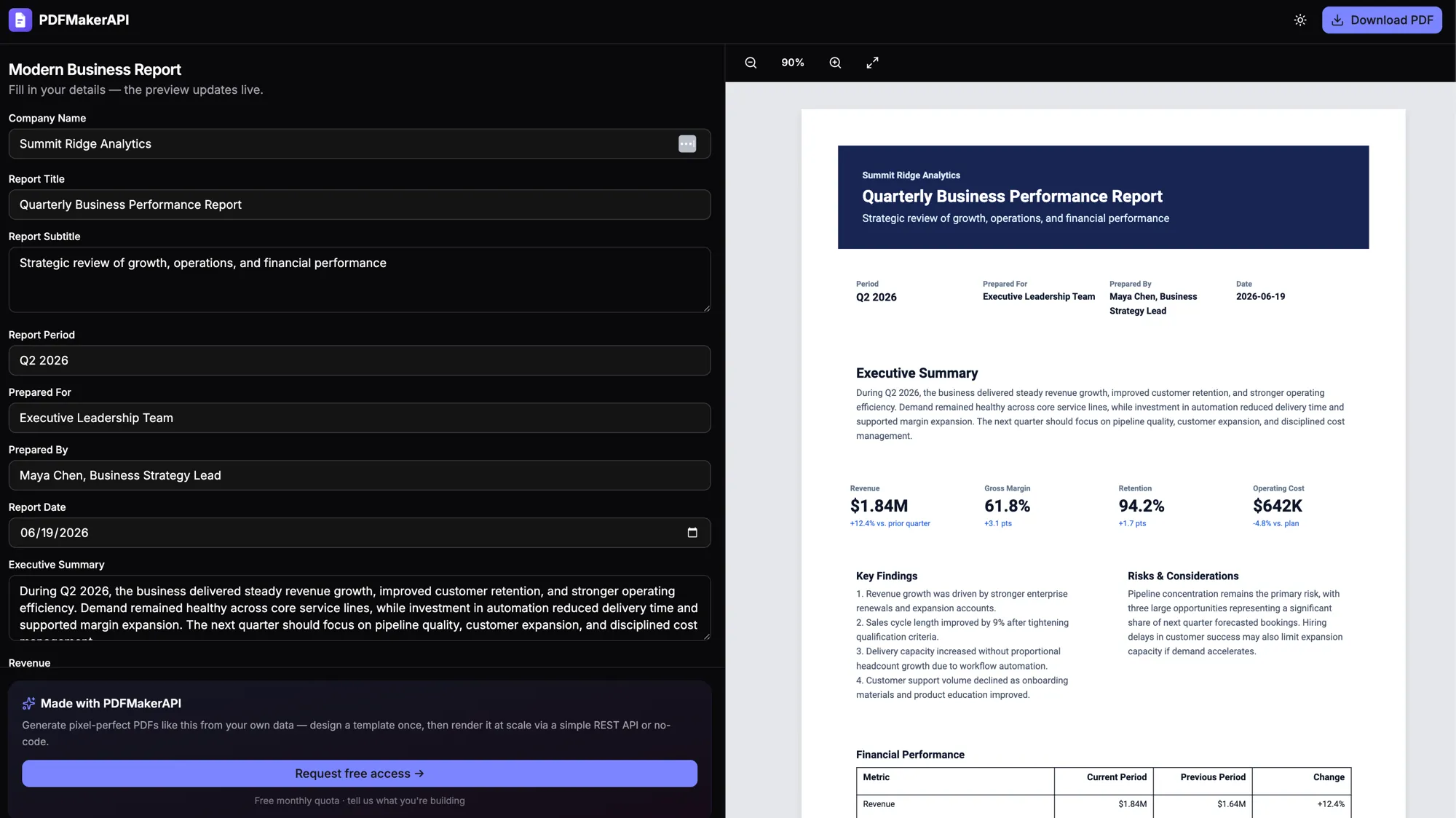
Fill it in, watch it render
Edit any field and the preview updates live — or share a fillable PDF form link so anyone on your team can fill it in right in their browser. Download the finished PDF anytime.
Design your own — or use a template
Build a report from scratch in the visual, drag-and-drop template designer, or start from a ready-made template — executive summary, KPI cards, tables, and your branding.
Share a fill-in link
Send a link and anyone on your team can fill in the numbers right in their browser — no login, no design tools, no code. The editable PDF is ready to download when they’re done.
Data-rich layouts
Render multi-page reports with dynamic tables, KPI metrics, repeating sections, running headers and footers, and automatic page numbering.
Editable, not one-shot
Every report is an editable document — change any figure, heading, or section and watch the preview update before you download the final PDF.
Always up to date
Generate the report from live data at request time, so every PDF reflects the latest numbers — monthly statements, board decks, analytics summaries.
Scales to bulk
Need a statement for every customer? Use the REST API and async batch rendering to produce thousands of documents without timeouts.
FAQ
Frequently asked questions
How do I create a business report PDF? +
Design your own report template or start from a ready-made one, fill in your summary, metrics, and tables, and the preview updates live. Download the finished PDF — or automate it via the REST API or an AI agent.
Can I design my own report template? +
Yes. Use the visual drag-and-drop template designer to build a report from scratch — executive summary, KPI cards, tables, headers, and footers — or start from a ready-made template and customize the branding and layout.
Can someone without technical skills fill in a report? +
Yes. Share a link and anyone on your team can open it in their browser and fill in the details — no login, no design tools, and no code. When they’re done, the editable PDF is ready to download.
How do I generate a PDF report from JSON? +
Design a report template with placeholders and table regions, then POST your dataset as JSON to the render endpoint. PDFMakerAPI merges the data into the template and returns a multi-page, editable PDF report.
Can reports span multiple pages with headers and footers? +
Yes. Templates support running headers, footers, and automatic page numbering, so long reports paginate cleanly.
Can I generate statements for many customers at once? +
Yes — use the async batch workflow to generate a statement per customer from a single dataset, ideal for monthly or end-of-period runs.
Can I make a report in ChatGPT or Claude? +
Yes. Connect PDFMakerAPI to ChatGPT or Claude and describe the report in plain English — it returns a link to an editable report PDF you can tweak and download.
Start generating PDFs today
Generate editable invoices, receipts, and certificates from your data, a template, or a prompt. Start free with 100 PDFs every month — no credit card required.
Free — 100 PDFs/mo, no credit card.