Generate editable certificate PDFs
Create polished, editable certificates, awards, and credentials. Design your own certificate in the visual template designer or start from a ready-made template — then fill in the details, or share a link so anyone on your team can complete it in their browser. Download a print-ready PDF, or issue certificates in bulk via the REST API, no-code automation, or AI agents.
See it in action
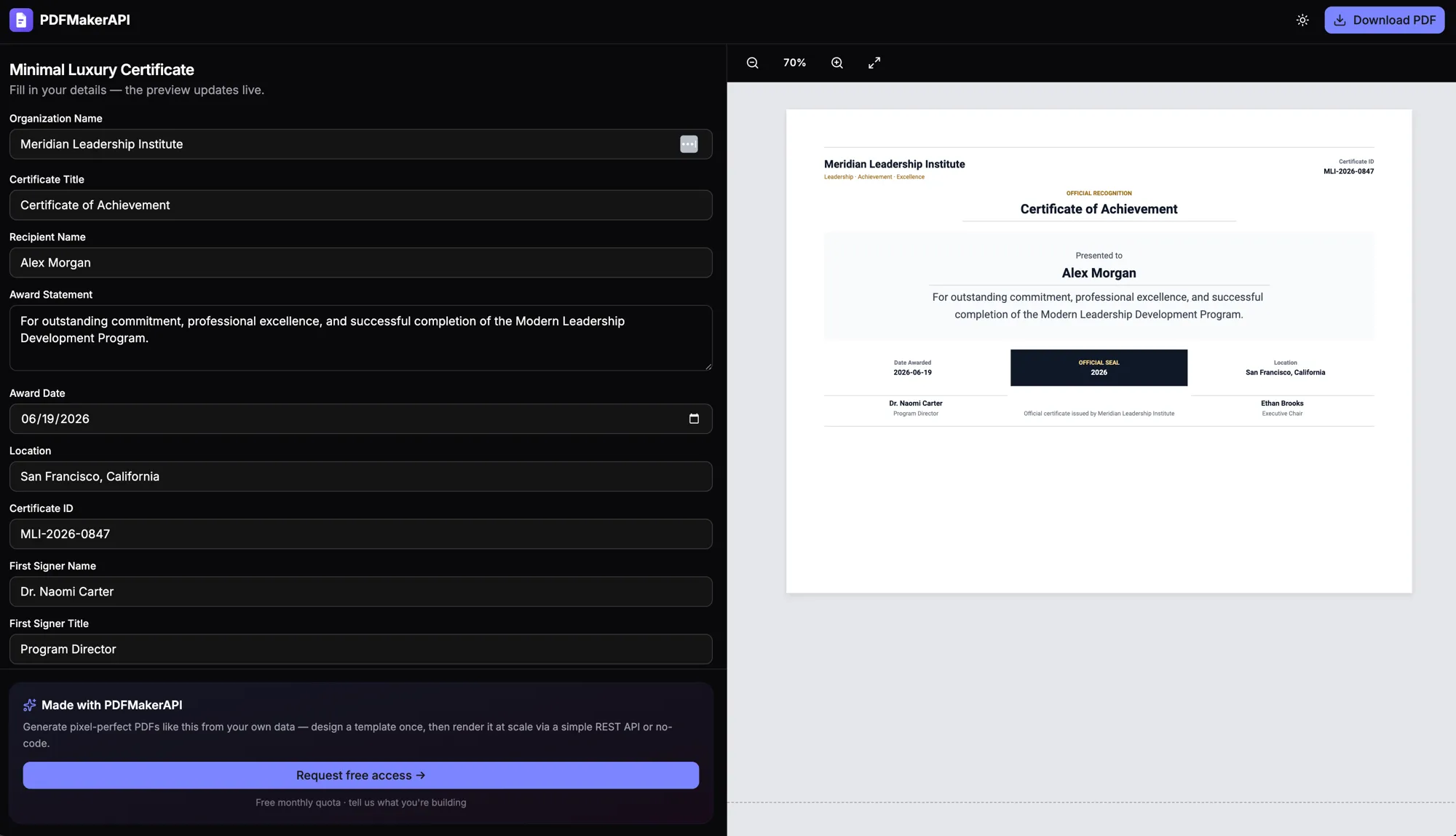
Fill it in, watch it render
Edit any field and the preview updates live — or share a fillable PDF form link so anyone on your team can fill it in right in their browser. Download the finished PDF anytime.
Design your own — or use a template
Build a certificate from scratch in the visual, drag-and-drop template designer, or start from a ready-made template — your seal, signatures, fonts, and branding.
Share a fill-in link
Send a link and anyone on your team can fill in the recipient and details right in their browser — no login, no design tools, no code. The print-ready PDF is ready to download when they’re done.
Personalized at scale
Merge recipient name, award, date, and a unique ID into a polished certificate for each person — issue one or thousands.
Editable & print-ready
Every certificate is an editable document with a precise layout engine and custom fonts — change any field, then download a crisp PDF that looks great on screen and in print.
Unique IDs & verification
Add a unique certificate ID or verification code — render it as text, a QR code, or a barcode on each certificate.
Create it your way
Issue certificates from code via the REST API, from no-code tools like Zapier, Make, and n8n (connect your LMS or a Google Sheet), or by asking Claude or ChatGPT.
FAQ
Frequently asked questions
How do I create a certificate PDF? +
Design your own certificate template or start from a ready-made one, fill in the organization, recipient, award statement, and signers, and the preview updates live. Download the finished PDF — or automate it via the REST API or an AI agent.
Can I design my own certificate template? +
Yes. Use the visual drag-and-drop template designer to build a certificate from scratch — title, recipient, award statement, seal, and signature lines — or start from a ready-made template and customize the branding and layout.
Can someone without technical skills issue a certificate? +
Yes. Share a link and anyone on your team can open it in their browser and fill in the recipient and details — no login, no design tools, and no code. When they’re done, the print-ready PDF is ready to download.
How do I generate certificates with an API? +
Create a certificate template with placeholders for the recipient and details, then send each recipient’s data as JSON to the render endpoint. PDFMakerAPI returns a personalized, editable certificate PDF.
Can I issue certificates automatically when a course is completed? +
Yes. Trigger PDFMakerAPI from your LMS or via a no-code platform like Zapier so a certificate is generated the instant a learner completes a course.
Can each certificate have a unique ID? +
Yes — pass a unique identifier or verification code in the data and render it (including as a QR code or barcode) on the certificate.
Can I make a certificate in ChatGPT or Claude? +
Yes. Connect PDFMakerAPI to ChatGPT or Claude and describe the certificate in plain English — it returns a link to an editable certificate PDF you can tweak and download.
Start generating PDFs today
Generate editable invoices, receipts, and certificates from your data, a template, or a prompt. Start free with 100 PDFs every month — no credit card required.
Free — 100 PDFs/mo, no credit card.