Create editable PDFs in Claude, Cursor & any MCP client
Connect PDFMakerAPI as an MCP server, then just ask your assistant for a document — invoices, certificates, reports, resumes — and get a link to preview, edit any field, and download the PDF.
One tool: create_document · Open source
(MIT)
In Claude
Add the connector, then ask
Add the custom connector
In Claude.ai: Settings → Connectors → Add custom connector, and paste the remote URL below. No login or API key.
Ask for a document
Try a prompt like:
- "Make a professional invoice for Acme with 3 line items."
- "Create a course completion certificate for Jordan Lee."
See it in action
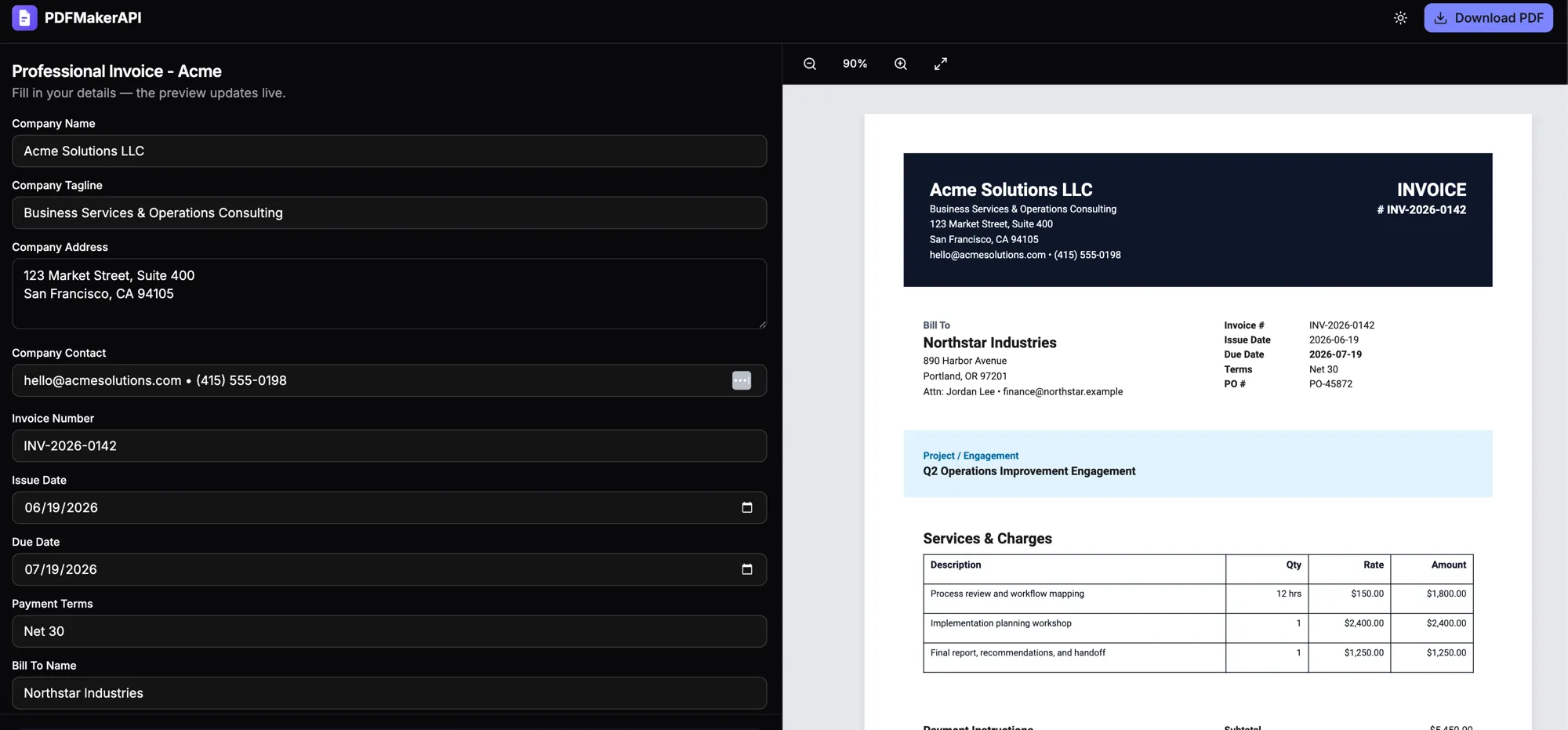
From prompt to editable PDF
The link opens a live editor — change any field and the preview updates, then download the finished PDF.
Every MCP client
Works wherever you use MCP
Hosted remote endpoint
For web clients (Claude.ai, ChatGPT) — no install, just the URL:
Local (npx)
For Claude Desktop, Cursor, Windsurf, Cline, VS Code — add this config:
{
  "mcpServers": {
    "pdfmakerapi": {
      "command": "npx",
      "args": ["-y", "@pdfmakerapi/mcp"]
    }
  }
}
Per-client
Claude.ai (web)
Settings → Connectors → Add custom connector → paste the remote URL.
Claude Desktop
Settings → Developer → Edit Config → add the npx block.
Cursor
Add the npx block to ~/.cursor/mcp.json (or the remote URL).
Windsurf
Add the npx block to ~/.codeium/windsurf/mcp_config.json.
Cline
MCP Servers → Configure → add the npx block.
VS Code
Add to .vscode/mcp.json (uses a "servers" key).
ChatGPT
Settings → Connectors → add the remote URL (Plus/Pro/Enterprise).
New to PDF MCP servers? See our roundup of the best MCP servers for generating PDFs to compare the options.
What you can make
Any document, just by asking
Troubleshooting
If something isn't working
The server doesn't show up in my client
Restart the client after editing its MCP config, and double-check the JSON is valid (no
trailing commas). For remote clients, confirm the URL is exactly
https://api.pdfmakerapi.com/mcp.
npx fails to start the server
Make sure Node.js 18+ is installed (node -v).
Then retry with npx -y @pdfmakerapi/mcp@latest.
Connection or timeout errors on the remote endpoint
The endpoint is healthy at /health. Verify
your network/proxy allows HTTPS to api.pdfmakerapi.com,
and that you're using the Streamable HTTP transport.
"Document is too large"
Documents are capped at ~1 MB of JSON. Trim very large tables or split the content into multiple documents.
The returned link won't open
Copy the full link (it ends in a document ID). Each link points to a stored document; if it 404s, generate the document again.
Still stuck?
Open an issue on GitHub or email support@pdfmakerapi.com.
FAQ
Frequently asked questions
What is the PDFMakerAPI MCP server? +
It is a Model Context Protocol (MCP) connector that gives your AI agent one tool, create_document. You describe a document in plain English and it returns a link to an editable PDF you can preview, edit, and download.
Do I need an API key or to install anything? +
No. Use the hosted remote endpoint (just a URL) in Claude.ai or ChatGPT, or run it locally with npx in Claude Desktop, Cursor, and other clients. No account or API key is required.
Which clients does it work with? +
Any MCP client — Claude.ai, Claude Desktop, Cursor, Windsurf, Cline, VS Code, Zed, and ChatGPT. Web clients use the remote URL; desktop/IDE clients can use the remote URL or the npx command.
What kinds of documents can it make? +
Invoices, receipts, certificates, reports, resumes, offer and cover letters, quotes, and more — with headings, tables, totals, and your real data.
How is this different from other PDF tools? +
Most PDF MCP servers only read PDFs or convert Markdown. PDFMakerAPI generates a real, branded, editable document and returns a link so you can fine-tune any field before downloading.
Add PDFMakerAPI to your assistant
Connect the server, describe a document, and download a polished PDF in seconds.
Questions or issues? support@pdfmakerapi.com