The Best Free MCP Servers for Generating PDFs (2026)
If you’re giving an AI agent the ability to produce documents, the Model Context Protocol (MCP) is the cleanest way to do it: point your client (Claude, Cursor, Windsurf, Cline, VS Code, or ChatGPT) at an MCP server and the agent can call its tools directly — no per-client glue code. (MCP is an open standard, from Anthropic, for connecting AI agents to external tools.)
A fair question first: Claude and ChatGPT can now create PDFs natively — so why use an MCP server at all? Because a server gives you control the built-in feature doesn’t: reusable templates, theming and CSS, LaTeX/Mermaid, batch generation, local/offline rendering, and structured documents driven by your own data. The native feature is great for one-offs; an MCP server is for repeatable, branded, or programmatic output.
One thing that trips people up: the most popular “PDF MCP servers” don’t generate PDFs at all — they read them. Microsoft’s MarkItDown (~156k★) and IBM’s Docling (~61k★) convert PDFs (and other files) into Markdown for an agent to digest. If you need to extract or summarize an existing PDF, start there. This guide is about the other direction — creating a finished PDF — which is a younger, smaller niche. Here are the credible options.
What’s the best MCP server for generating PDFs?
For converting Markdown or HTML, mcp-pandoc is the most-starred true generator (~560★, built on Pandoc). For building structured, editable business documents — invoices, receipts, certificates, reports — from data or a prompt, PDFMakerAPI is the best fit (free tier, no API key). Because dedicated “generate” servers are a new space, weigh each tool’s traction against how well it fits your input.
Converters vs. document generators
Match the tool to what your agent already has:
- Converters — you already have Markdown or HTML, and you want it turned into a PDF. Great for notes, READMEs, or a report the agent wrote as text.
- Document generators — you have data (or just a description) and need a structured, branded document: an invoice with line items and totals, a certificate, a report. The layout is a template; the agent supplies the values.
Comparison
| Tool | Best for | Input → Output | Popularity | Free |
|---|---|---|---|---|
| mcp-pandoc | Convert Markdown/HTML → PDF | Markdown / HTML → PDF | ~560★ | Open source |
| PDFMakerAPI | Structured, editable docs (invoices, certificates) | Data / template / prompt → editable PDF | Hosted, MIT | Free tier, no key |
| pdfme | Template-based generation | Template + data → PDF | ~4.4k★ (library) | Open source |
| Nutrient DWS (PSPDFKit) | Enterprise: create, convert, sign, OCR | Data / HTML → PDF | Enterprise brand | API key (paid) |
| markdown2pdf-mcp | Lightweight Markdown → PDF | Markdown → PDF | ~36★ | Open source |
The best PDF-generating MCP servers
1. mcp-pandoc
mcp-pandoc wraps the venerable Pandoc document converter, so an agent can turn Markdown or HTML into PDF (and many other formats). It’s the most-starred true generator in the MCP ecosystem (~560★) and the most flexible on formats. One caveat: PDF output needs a LaTeX engine installed, so setup is heavier than a pure-JS tool.
2. PDFMakerAPI — best for structured, editable documents
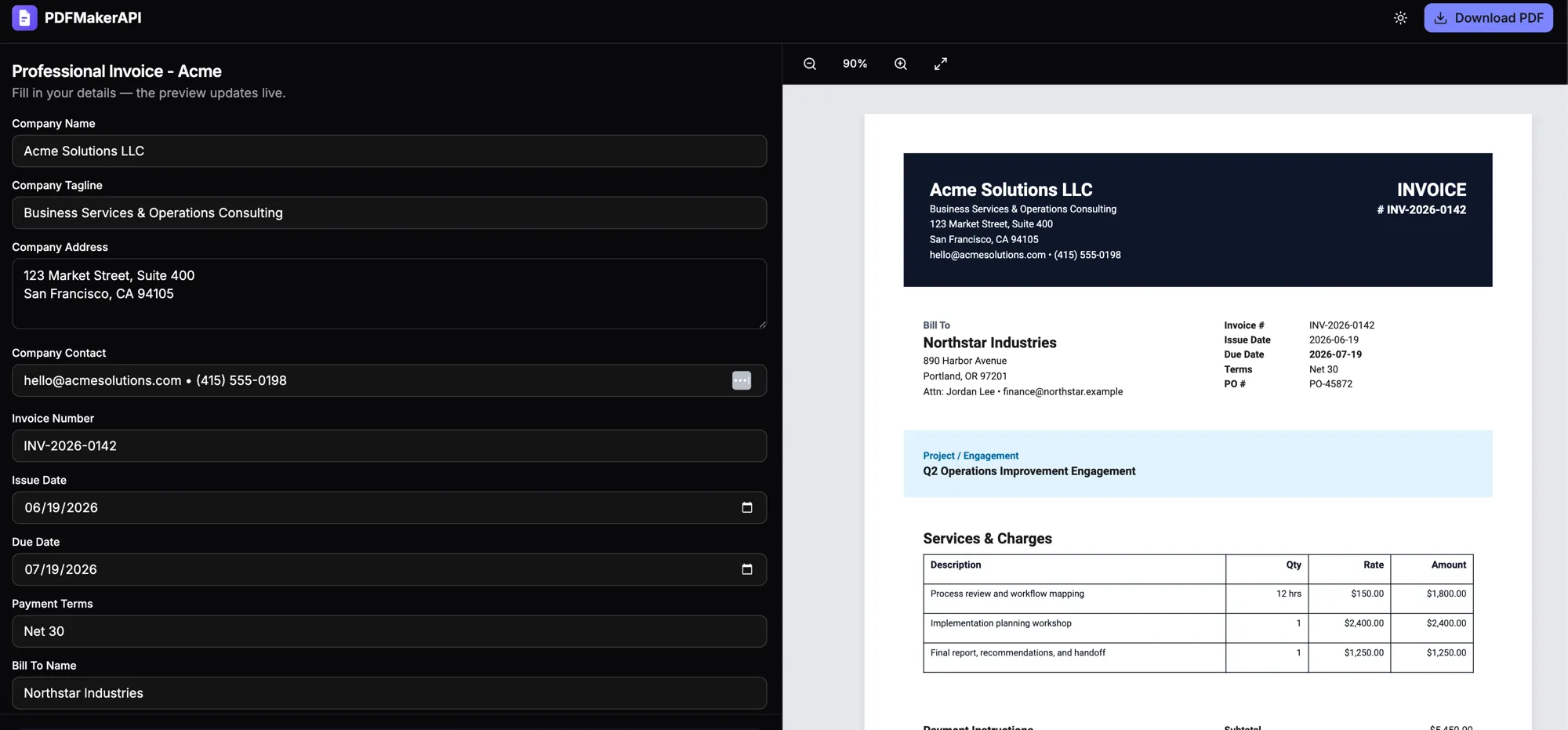
PDFMakerAPI is built for the document generator case. The agent describes a document — “an invoice for Acme with three line items” — or passes structured data, and the server returns a link to a finished, editable PDF. You (or anyone you send the link to) can change any field in the browser before downloading.
The “editable” part is the differentiator: instead of a one-shot render, you get a document a human can review and fix — a natural human-in-the-loop checkpoint for anything that leaves the building. It handles invoices, receipts, certificates, reports, resumes, and letters with one tool (create_document). There’s a free tier and no API key to start, and it’s open source (MIT).
Setup (Claude Desktop, Cursor, Windsurf, Cline, VS Code):
{
  "mcpServers": {
    "pdfmakerapi": { "command": "npx", "args": ["-y", "@pdfmakerapi/mcp"] }
  }
}
For web clients like Claude.ai or ChatGPT that can’t run npx, add the hosted endpoint as a custom connector: https://api.pdfmakerapi.com/mcp.
3. pdfme
pdfme is a well-established open-source PDF library (~4.4k★) built around visual templates with data binding — exactly the model you want for invoices and certificates. It ships an official MCP server; the MCP wrapper is still early-stage, but the underlying library is battle-tested and a strong choice if you want full control over a self-hosted template engine.
4. Nutrient DWS (PSPDFKit)
Nutrient DWS is the MCP server from Nutrient (formerly PSPDFKit), a recognizable enterprise document-SDK vendor. It can create, convert, sign, OCR, and redact — the most full-featured option here — and is actively maintained. It requires an API key and is a paid service, so it’s the pick when you need enterprise document operations rather than a free, lightweight tool.
5. markdown2pdf-mcp
markdown2pdf-mcp is a lightweight open-source option (~36★) that converts Markdown to PDF with syntax highlighting, styling, page numbers, and watermarks. Reach for it when you just want a simple, no-LaTeX Markdown → PDF step and don’t need Pandoc’s breadth.
Also worth knowing: Gotenberg (~12k★) is a popular HTML/Markdown → PDF engine. It has no official MCP server, but community MCP wrappers exist if you already run Gotenberg.
How to add an MCP server
For a local (stdio) server, add it to your client’s config and restart:
- Claude Desktop — Settings → Developer → Edit Config, which opens
claude_desktop_config.json(macOS:~/Library/Application Support/Claude/, Windows:%APPDATA%\Claude\, Linux:~/.config/Claude/) - Cursor —
~/.cursor/mcp.json - VS Code / Cline / Windsurf — their respective MCP config files
Add the server under mcpServers (see the PDFMakerAPI block above), restart the client, and the agent’s tools appear. For a remote (HTTP) server, add the URL as a custom connector in the client’s settings instead — handy for web clients that can’t run npx.
A note on trust and safety
MCP servers are tools with permissions, so treat them like one:
- Local (stdio) servers run on your machine. A converter that reads/writes files needs filesystem access — grant the narrowest scope you can and review what it can touch.
- Remote (HTTP) servers send your content to a third party. Don’t pass sensitive documents to a hosted service you don’t trust, and check whether it stores what you send.
- Prefer least privilege: only enable the servers you’re actively using.
How to choose
- Starting from Markdown or HTML your agent wrote? Use a converter — mcp-pandoc for breadth (if you can install LaTeX), or markdown2pdf-mcp for a lightweight step.
- Want a self-hosted template engine? pdfme.
- Need enterprise operations (sign, OCR, redact)? Nutrient DWS.
- Generating a structured business document from data or a prompt — an invoice, certificate, or report that needs a real layout and an editable result? That’s what PDFMakerAPI is built for.
Bottom line
The most recognizable PDF MCP servers (MarkItDown, Docling) read PDFs; generating them is a younger niche led by mcp-pandoc, pdfme, and a handful of focused tools. Match the choice to your starting point — Markdown/HTML → a converter; data or a prompt → a document generator like PDFMakerAPI — and your agent goes from “writes about the invoice” to “hands you the invoice.”
Frequently asked questions
What is an MCP server?
An MCP (Model Context Protocol) server exposes tools that an AI agent can call directly. For PDFs, that means an agent in Claude, Cursor, or ChatGPT can generate a document by calling the server's tool — with no custom, per-client integration code.
What's the most popular PDF MCP server?
The most popular ones are readers, not generators — Microsoft's MarkItDown (~156k GitHub stars) and IBM's Docling (~61k) convert PDFs and other files into Markdown. For actually generating PDFs, mcp-pandoc is the most-starred true generator (~560 stars).
Can Claude or ChatGPT generate PDFs with an MCP server?
Yes. Point the client at an MCP server and the agent can call it. Desktop clients like Claude Desktop and Cursor run a local server via npx; web clients like Claude.ai and ChatGPT connect to a hosted endpoint as a custom connector.
Are there free MCP servers for generating PDFs?
Yes. mcp-pandoc, pdfme, and markdown2pdf-mcp are open source, and PDFMakerAPI has a free tier with no API key. Note that several popular "PDF MCP servers" — like MarkItDown and Docling — only read or convert PDFs rather than generate them.
What's the difference between a PDF converter and a document-generator MCP server?
A converter turns content your agent already has — Markdown or HTML — into a PDF. A document generator builds a structured, branded document (an invoice, certificate, or report) from data or a plain-English prompt using a template, and can return an editable result.
Is it safe to give an MCP server filesystem access?
Treat it like any tool with permissions. Local (stdio) servers run on your machine and may read/write files in a scope you grant; remote (HTTP) servers send your content to a third party. Prefer least-privilege access, review what a server can touch, and avoid sending sensitive documents to hosted services you don't trust.