Fillable PDF forms
Create fillable PDF forms — filled in any browser, no Acrobat
Design a reusable PDF form once, share a link, and anyone can fill it right in their browser — on any device, with nothing to install. Download the finished PDF when they're done.
How to create a fillable PDF form
From a blank template to a form anyone can complete — in three steps.
- 1
Design your form
Build a reusable form template in the visual designer — add your fields, labels, and branding. No Acrobat, no form-field wrangling.
- 2
Share the fill-in link
Send a link to anyone — a client, a teammate, a customer. They open it in any browser; nothing to install.
- 3
Get the finished PDF
They fill the form in their browser and you get a clean, completed PDF — every time, in the same layout.
Why a shared link beats a fillable PDF file
Traditional fillable PDFs make people open the file in the right software. A link just works.
The old way (AcroForm in Acrobat)
- Recipients need a PDF reader that supports form fields
- Fields break or flatten across apps and phones
- You rebuild the form by hand every time it changes
- No easy way to collect or reuse submissions
With PDFMakerAPI
- Anyone fills it in their browser — no software, any device
- The layout is pixel-perfect on every submission
- One reusable template, shared by link as many times as you want
- Every submission produces a clean, finished PDF
See a fillable form in action
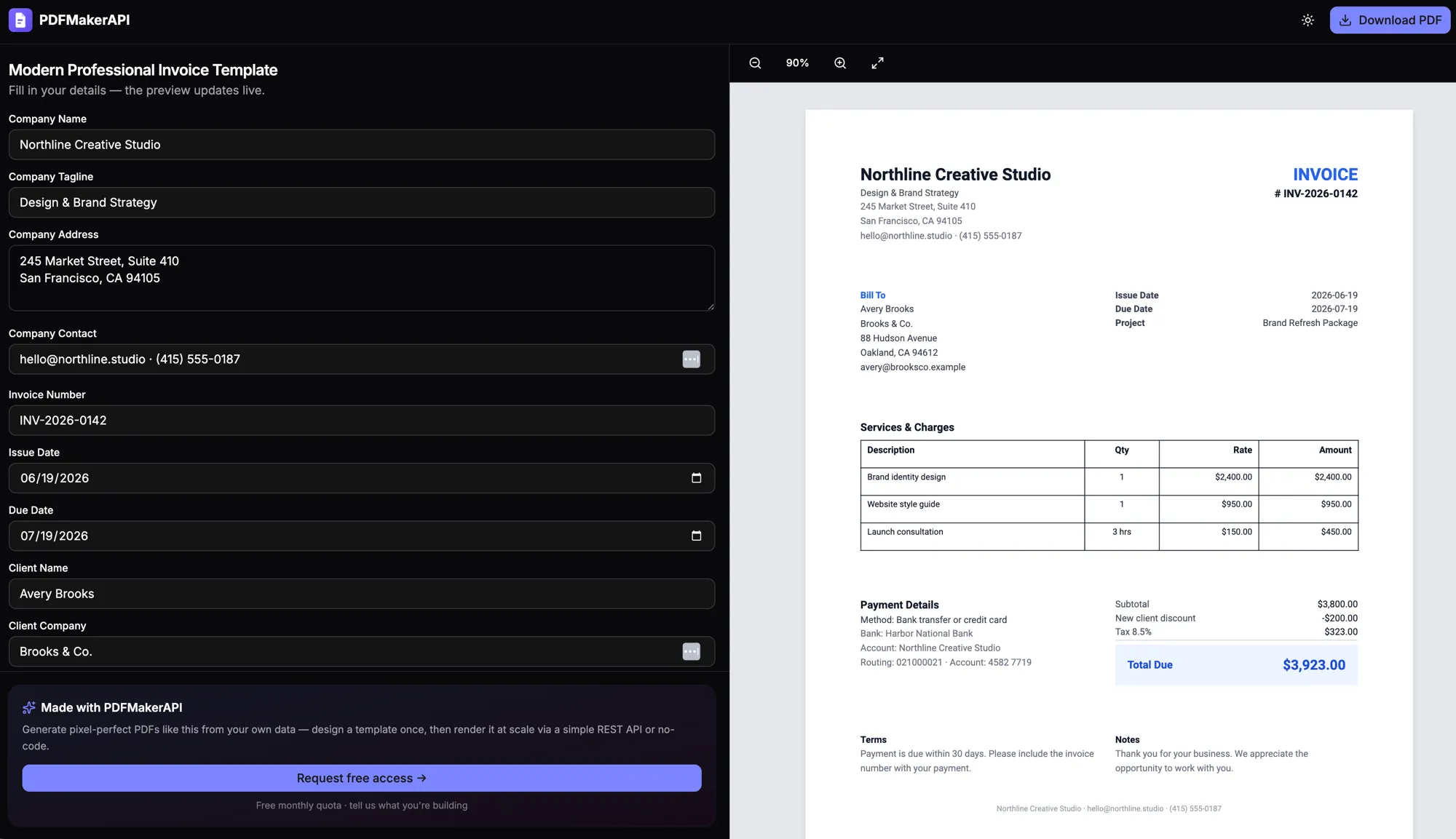
Fill the fields on the left; the PDF on the right updates live. That's exactly what your recipients see when you share the link.
Popular fillable forms
Start from a common document and make it a fillable form your whole team can complete.
Fillable PDF form FAQ
How do I make a PDF fillable without Acrobat?
Design your form once in PDFMakerAPI, then share a link. Anyone can fill it in their browser — no Adobe Acrobat, no plugins, on any device. When they submit, you get the finished PDF.
Do people need to install anything to fill the form?
No. Recipients just open the link you share and fill the form in their web browser. Nothing to download or install — it works on desktop and mobile.
Can I reuse the same fillable form for many submissions?
Yes — that is the point. You build the form template once and reuse it for unlimited submissions. Each person who opens the link gets a fresh form and produces their own completed PDF.
Can I create a fillable PDF from an existing PDF?
PDFMakerAPI works from a reusable template you design, rather than adding form fields onto an uploaded PDF. You recreate the form once in the designer and then it is fillable by anyone with the link — no Acrobat form-field setup required.
How is this different from a regular fillable PDF (AcroForm)?
A traditional fillable PDF is a file with embedded fields that recipients open in PDF software like Acrobat. PDFMakerAPI is link-based: people fill an HTML form in the browser and you get a finished PDF. It needs no PDF software, works on any device, and the template is reusable.
Is it free to create fillable PDF forms?
Yes — the free tier includes 100 PDFs per month with no credit card, which is plenty to build and share fillable forms.
Start generating PDFs today
Generate editable invoices, receipts, and certificates from your data, a template, or a prompt. Start free with 100 PDFs every month — no credit card required.
Free — 100 PDFs/mo, no credit card.