Best PDF Generation APIs in 2026 (Tested & Compared)
If you need to generate invoices, receipts, certificates, reports, contracts, or statements automatically, a PDF generation API turns structured data into finished PDF documents. But these APIs are not all the same — some convert HTML to PDF, some merge JSON into reusable templates, and some are built for no-code workflows while others are developer-only.
We compared the leading PDF generation APIs across template support, data input (JSON, HTML, URL), visual editing, no-code integrations, pricing model, and best-fit use case — then grouped them by the job each one is built for, so you can pick the right tool instead of the loudest one.
How we tested
We created accounts where possible, reviewed official API docs, checked pricing/free-tier pages, and evaluated each tool using the same document-generation scenario: creating a one-page invoice from structured data with customer details, line items, totals, and branding.
For each tool we checked:
- Can it generate from JSON?
- Does it support reusable templates?
- Is there a visual editor?
- Can non-developers edit templates?
- Does it support Zapier, Make, or n8n?
- Does it offer a real free tier or only a trial?
- Is it better for templates, HTML-to-PDF, existing PDF forms, or enterprise document generation?
Last checked: June 25, 2026.
Quick comparison: the best PDF generation APIs
Ordered by overall fit and breadth; each tool wins a different job — the “best for” column says which. Verified against each vendor’s official documentation, June 2026. Paid pricing changes often and is omitted here; check each vendor for current rates.
| Tool | Best for | Approach | Visual editor | API & no-code | Free tier |
|---|---|---|---|---|---|
| CraftMyPDF | Template-based PDF + image | Template-based | Drag-and-drop | REST API · Zapier, Make, n8n, Bubble | 50/mo, 3 templates |
| PDFMakerAPI | Reusable templates + JSON automation | Template-based (no headless browser) | Visual, no-code + Quill AI | REST API · Zapier, Make, n8n | 100 PDFs/mo, no card |
| APITemplate.io | Templates plus HTML/URL | Template-based (+ HTML/URL) | WYSIWYG + HTML | REST API · Zapier, Make, n8n, Airtable | 50/mo, 3 templates |
| PDF Generator API | Embeddable editor for SaaS | Document-automation platform | WYSIWYG (embeddable) | REST API · Zapier, Make, n8n | Trial only (14 days) |
| PDFMonkey | Developer-friendly templates | Template-based (Liquid/HTML) | Code (HTML/CSS + Liquid) | REST API · Zapier, Make, n8n, Bubble | 20 docs/mo |
| DocSpring | Filling existing PDF forms | PDF form-filling | Field placement on a PDF | REST API · AWS S3 only | Trial only |
| DocRaptor | High-fidelity HTML-to-PDF | HTML-to-PDF (PrinceXML) | None (code-only) | REST API · Zapier (webhooks) | Free test docs / trial |
| PDFShift | Simple HTML/URL-to-PDF | HTML-to-PDF (Chromium) | None (code/API) | REST API | 50 credits/mo |
| Docmosis | Word-template / enterprise | Template-based (Word/LibreOffice) | Word/LibreOffice authoring | REST API | Trial only |
| Carbone | Open-source template engine | Template-based (DOCX/ODT) | Office tools + {tags} | REST API · Zapier, Make, n8n, Airtable | Free plan ($0) |
How to choose a PDF generation API
Template-based generation vs HTML-to-PDF. HTML-to-PDF APIs render markup or a web page into a PDF — ideal when your source of truth is already HTML. Template-based APIs store a reusable layout and merge your JSON into it, so the design stays consistent while only the data changes. This is the single most important decision; the rest follows from it.
Visual template editor vs code-only layout. Some tools (PDFMakerAPI, CraftMyPDF, APITemplate.io, PDF Generator API) offer a visual editor non-developers can use. Others (PDFMonkey, DocRaptor, PDFShift) require HTML/CSS or Liquid, and Docmosis/Carbone author templates in Word or LibreOffice. If the document layout is a product asset that non-developers need to own, a visual editor matters.
JSON / data input support. For automation you usually want JSON in, PDF out. Most template-based tools take JSON; HTML-to-PDF tools take HTML or a URL instead. A few (APITemplate.io, PDF Generator API) accept both.
Batch and async generation. Generating one PDF is easy; generating ten thousand on a schedule is the real test. Because template-based rendering has no headless browser to spin up per document, it scales through API calls or async batch workflows without a browser fleet to operate.
No-code integrations. If a non-developer should be able to wire up generation, check for official Zapier, Make, and n8n connectors. PDFMakerAPI, CraftMyPDF, APITemplate.io, PDFMonkey, and Carbone document these; DocSpring and PDFShift do not.
Pricing model and free tier. Watch for credit systems where a multi-page document costs several credits, and for tools that only offer a trial rather than a perpetual free tier. PDFMakerAPI, CraftMyPDF, APITemplate.io, PDFMonkey, PDFShift, and Carbone offer real free tiers; PDF Generator API, DocSpring, and Docmosis offer trials.
Developer experience and API docs. Look for a single predictable endpoint, clear docs, SDKs in your language, and — increasingly — an MCP server or AI-agent path so an assistant like Claude or ChatGPT can generate documents directly.
Best PDF generation APIs compared
1. CraftMyPDF — best for template-based PDF + image automation
CraftMyPDF is a template-based PDF and image generation API with a drag-and-drop editor; you merge JSON into reusable templates via the REST API or no-code tools.
Key strengths:
- Mature drag-and-drop template editor (tables, charts, QR/barcodes, fillable fields)
- Generates both PDFs and images
- Broad no-code support: Zapier, Make, n8n, Bubble, Coda and more
- Real free tier (no credit card)
Limitations:
- Input is JSON-into-template only — no raw-HTML or URL-to-PDF as a primary path
- Template counts are capped per tier (3 on free)
Choose it if: you want a mature template-based platform that outputs both PDFs and images.
2. PDFMakerAPI — best for reusable templates + JSON document automation
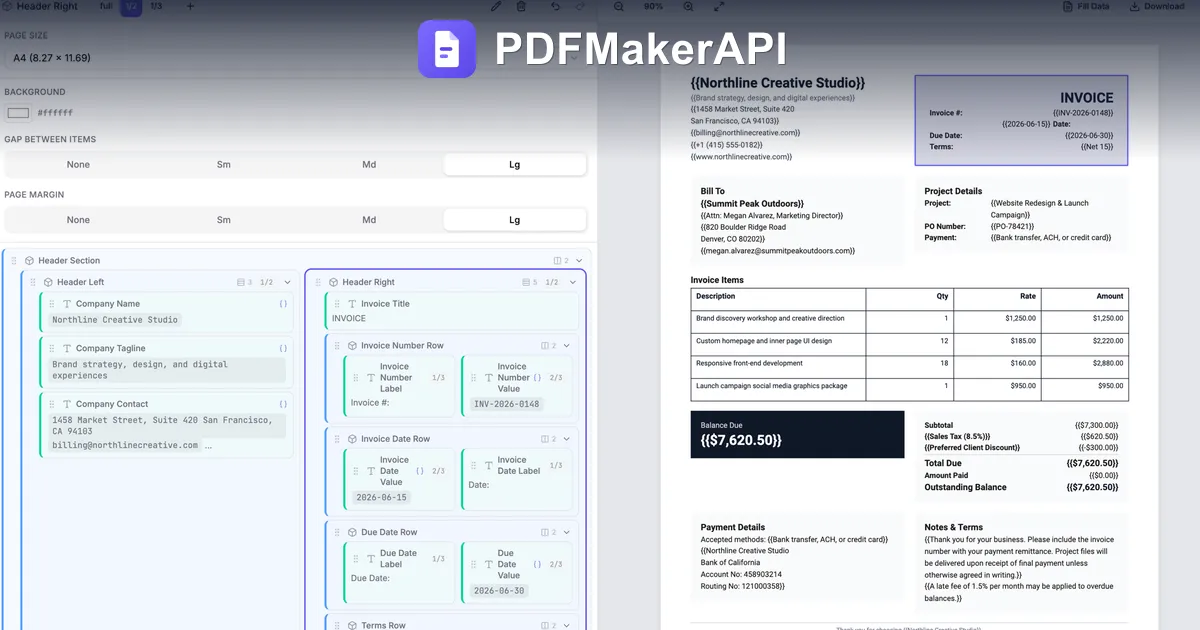
A PDF generation API for document automation. Design a reusable template once in a visual, no-code editor — or with Quill, the built-in AI assistant — then generate one PDF or thousands from JSON via the REST API, no-code workflows, or AI agents.
Key strengths:
- Full visual, no-code template editor with an AI assistant (Quill) that designs and edits templates for you
- Renders from a structured template — no HTML-to-PDF screenshot under the hood, so layouts reflow instead of breaking
- JSON in, PDF out: one document or thousands via the REST API or async batch workflows
- Anyone can own the template — share a link and a teammate fills it in the browser, no code
- Works with Zapier, Make, n8n, the PDFMakerAPI GPT in ChatGPT, and as an MCP server for Claude
Limitations:
- Built for structured document templates — not for compressing, merging, or editing existing PDFs
- Not a raw-HTML or URL-to-PDF renderer: if your source of truth is a web page, an HTML-to-PDF API fits better
Start free — design your first reusable template and generate it from JSON. 100 PDFs/month, no credit card.
3. APITemplate.io — best for templates plus HTML/URL rendering
APITemplate.io generates PDFs and images from reusable templates, raw HTML, or a live URL — via API or no-code tools — with both a WYSIWYG and an HTML/CSS editor.
Key strengths:
- Both a WYSIWYG drag-and-drop editor and a code (HTML/CSS) editor
- Generates PDFs and images
- Accepts JSON, HTML, or a URL as input
- SDKs for Python, C#, Java, PHP, JavaScript
Limitations:
- Separate PDF-only vs image+PDF plan structures can complicate plan choice
- Template and volume caps per tier
Choose it if: you want one API for templated PDFs and images, plus HTML/URL rendering.
4. PDF Generator API — best for embeddable template management for SaaS
PDF Generator API is a document-automation API with a browser-based WYSIWYG editor you can embed into your own app, plus multi-tenant “workspaces” for SaaS products.
Key strengths:
- Embeddable WYSIWYG editor for your end-users
- Multi-tenant workspaces for SaaS embedding
- Broad SDKs and no-code connectors
Limitations:
- No perpetual free tier — 14-day trial only
- EUR credit-based billing, where a multi-page document can consume several credits
- PDF output only (no image generation)
Choose it if: you’re embedding a template editor inside your own product for end-users.
5. PDFMonkey — best for developer-friendly dynamic templates
PDFMonkey is a template-based PDF service: you author HTML/CSS + Liquid templates in a dashboard with live preview, then generate PDFs from JSON via the API.
Key strengths:
- Dashboard template editor with live PDF preview
- Broad official no-code support: Zapier, Make, n8n, Bubble, Glide, Workato
- Free tier (20 documents/month)
Limitations:
- Templates are HTML/CSS + Liquid code — non-technical users still need markup knowledge
- Not a drag-and-drop visual designer
Choose it if: your team is comfortable in HTML/CSS/Liquid and wants no-code triggers.
6. DocSpring — best for filling existing PDF forms
DocSpring is a developer API for filling existing PDF forms (and generating from HTML/CSS/Liquid): you map JSON onto fields placed on an uploaded PDF.
Key strengths:
- Drag-and-drop field placement on an existing PDF
- Precise for government/legal fillable forms
- HTML/CSS/Liquid template option for built-from-scratch docs
Limitations:
- Centered on existing PDF forms — building rich layouts means dropping to code
- Few first-party no-code connectors (officially only AWS S3)
- No perpetual free tier (14-day trial)
Choose it if: you need to programmatically fill existing fillable PDF forms.
7. DocRaptor — best for high-fidelity HTML-to-PDF
DocRaptor is an HTML-to-PDF (and HTML-to-XLSX) API powered by the commercial PrinceXML engine, aimed at pixel-accurate, complex print documents.
Key strengths:
- PrinceXML rendering for advanced print CSS
- High fidelity on complex, multi-page documents
- Official client libraries for Python, Node, PHP, Ruby, Java, C#
Limitations:
- No template management or visual editor — you supply and maintain all HTML/CSS
- Non-developers cannot own or edit the document without engineering
Choose it if: your source of truth is HTML and you need print-perfect rendering.
8. PDFShift — best for simple HTML/URL-to-PDF
PDFShift is a Chromium-powered HTML-to-PDF API that converts raw HTML or a live URL into PDFs at scale.
Key strengths:
- Straightforward HTML/URL-to-PDF conversion
- Executes JavaScript before rendering
- Client libraries for Node, Python, PHP, Ruby, Go, C#
Limitations:
- No visual editor and no documented no-code integrations — a developer is required
- Templating is code-only and limited versus a full document-automation tool
Choose it if: you need reliable HTML/URL-to-PDF conversion in code.
9. Docmosis — best for Word-template / enterprise document generation
Docmosis is a document generation engine that merges JSON/XML into Microsoft Word or LibreOffice templates to produce PDF, DOCX, ODT and more — available as cloud or self-hosted.
Key strengths:
- Author templates in Word or LibreOffice
- Many output formats (PDF, DOCX, ODT…)
- Cloud SaaS or on-prem / self-hosted editions
Limitations:
- Template authoring needs Word/LibreOffice plus placeholder syntax — no hosted web editor
- Self-hosted editions carry high one-time license costs
Choose it if: your team authors templates in Word and may need on-prem deployment.
10. Carbone — best for an open-source-friendly template engine
Carbone is a report/document generator — an open-source engine plus a hosted API — that merges JSON into DOCX/ODT/XLSX templates to output PDF and many other formats.
Key strengths:
- Open-source engine, self-hostable, with flexible deployment
- Same REST API across cloud and on-prem; SDKs for Node, Go, PHP, Java, Python, Rust
- Official no-code connectors: Zapier, Make, n8n, Airtable, Bubble
Limitations:
- Templates are authored in office software with Carbone tag syntax — not a hosted drag-and-drop builder
- The open-source edition trails the enterprise version, and its license bars offering it as a hosted service
Choose it if: you want a self-hostable JSON-to-document engine with flexible deployment.
Which PDF generation API should you choose?
- Reusable business documents from data → PDFMakerAPI (also CraftMyPDF and APITemplate.io). A visual template plus JSON in, PDF out. The layout is a product asset that stays consistent while the data changes.
- Rendering an existing web page or HTML → DocRaptor (high fidelity) or PDFShift (simple). When your source of truth is already HTML, an HTML-to-PDF API is the right tool.
- No-code automation (Zapier / Make / n8n) → PDFMakerAPI, CraftMyPDF, APITemplate.io, PDFMonkey, Carbone. All expose official no-code connectors.
- Filling existing fillable PDF forms → DocSpring. Built specifically to map data onto fields in PDFs you already have.
- Enterprise / Word templates or on-prem → Docmosis or self-hosted Carbone. Author in Word/LibreOffice and deploy on your own infrastructure.
- Embedding a template editor for your users → PDF Generator API. Multi-tenant workspaces and an embeddable WYSIWYG editor for SaaS products.
Why template-based PDF generation is better for repeatable business documents
HTML-to-PDF APIs are useful when your source of truth is already HTML: web pages, receipts rendered from frontend components, dashboards, or emails. Template-based PDF generation is usually better when the document layout is a product asset — invoices, certificates, reports, contracts, statements, and forms that need to stay consistent and that non-developers should be able to update without changing code. (For the failure modes that show up when you push HTML-to-PDF to production, see why HTML-to-PDF breaks in production.)
Use HTML-to-PDF when:
- You already have reliable HTML/CSS
- Developers control every layout change
- The PDF is basically a rendered web page
Use template-based generation when:
- The layout must stay consistent while data changes
- Non-developers need to edit templates
- You generate invoices, certificates, reports, receipts, or statements
- You want JSON in, PDF out — not layout code
PDFMakerAPI is built for the second job: a visual, no-code template editor with an AI assistant, JSON-based REST API generation, no-code automation with Zapier/Make/n8n, and an MCP server so AI agents can create documents directly. See it in action on the invoice, report, and certificate use-case pages.
Frequently asked questions
What is the best PDF generation API?
It depends on the job. For automating repeatable business documents from data — invoices, certificates, reports, statements — a template-based API like PDFMakerAPI, CraftMyPDF, or APITemplate.io is the best fit. For rendering an existing web page or HTML, an HTML-to-PDF API like DocRaptor or PDFShift fits better. For filling existing fillable PDFs, DocSpring is purpose-built.
What is the difference between a PDF generation API and an HTML-to-PDF API?
An HTML-to-PDF API renders HTML/CSS (a web page or raw markup) into a PDF — great when your source of truth is already HTML. A template-based PDF generation API stores a reusable document template and merges your JSON data into it, so the layout stays consistent run to run and non-developers can own it. The first is for rendering pages; the second is for automating documents.
Can I generate PDFs from JSON?
Yes. Template-based APIs — PDFMakerAPI, CraftMyPDF, APITemplate.io, PDF Generator API, PDFMonkey, and Carbone — take JSON in and return a finished PDF, merging your data into a reusable template. With PDFMakerAPI it is a single endpoint: JSON in, PDF out.
Can I create reusable PDF templates?
Yes. PDFMakerAPI lets you design a reusable template in a visual, no-code editor (or with Quill, its AI assistant), then generate from it forever by sending data. CraftMyPDF, APITemplate.io, and PDF Generator API also offer visual editors; PDFMonkey, Docmosis, and Carbone use code or office-software templates.
What is the best PDF generation API for invoices?
A template-based API is best for invoices: design the invoice layout once, then generate each invoice from order or billing data. PDFMakerAPI is built for this — a reusable invoice template plus JSON-in/PDF-out generation by API, no-code workflow, or AI agent — and the structured layout reflows so long names and line-item lists do not break it.
What is the best PDF generation API for no-code workflows?
PDFMakerAPI, CraftMyPDF, APITemplate.io, PDFMonkey, and Carbone all offer official Zapier / Make / n8n connectors, so a no-code workflow can generate a PDF without writing code. PDFMakerAPI also lets non-developers design and fill templates in the browser.
Can I use Zapier, Make, or n8n to generate PDFs?
Yes — with PDFMakerAPI you can trigger generation from Zapier, Make, or n8n. CraftMyPDF, APITemplate.io, PDFMonkey, and Carbone also document these connectors. Note that some tools (DocSpring, PDFShift) do not document first-party Zapier/Make/n8n integrations.
Can non-developers edit PDF templates?
With PDFMakerAPI, yes — anyone can design or update a template in the visual editor (or describe changes to Quill, the AI assistant) and share a link so a teammate fills it in the browser, no code. Tools like DocRaptor, PDFShift, PDFMonkey, Docmosis, and Carbone require HTML/CSS, Liquid, or office-template authoring.
Do I need a headless browser to generate PDFs?
No. HTML-to-PDF tools run a headless browser (or PrinceXML) to render markup. Template-based APIs like PDFMakerAPI render from a structured template instead, which avoids the headless-browser pagination and font issues and generates PDFs at scale through API calls or async batch workflows.
What is the best free PDF generation API?
Free tiers vary. PDFMakerAPI offers 100 PDFs/month with no credit card. CraftMyPDF and APITemplate.io offer 50/month (3 templates), PDFMonkey 20/month, PDFShift 50 credits/month, and Carbone a free plan. PDF Generator API, DocSpring, and Docmosis offer trials rather than a perpetual free tier.